
Buffalo County Court Calendars Explained
Buffalo County gives you three solid places to look. JUSTICE case detail lays out the case-level schedule with dated entries. Its Register of Actions carries those entries. The Nebraska Multi-Court Case Calendar covers County Court settings statewide. It is searchable by date or last name. And the local clerk is the channel you must use. That applies whenever District Court is involved, a date changed recently, or a result seems off.
Remember what a calendar actually is. It is a public search view, not a signed judicial order. A Buffalo County setting that comes back may list the court and county, case number, caption, judge, date, time, courtroom or location, and setting type. Public party and attorney labels appear too. The official notice carries two cautions worth noting. Results can be delayed. And an empty result does not necessarily mean there is no court date.
The Nebraska Multi-Court Case Calendar is the official form. It sits behind what this page illustrates for a Buffalo County court date.
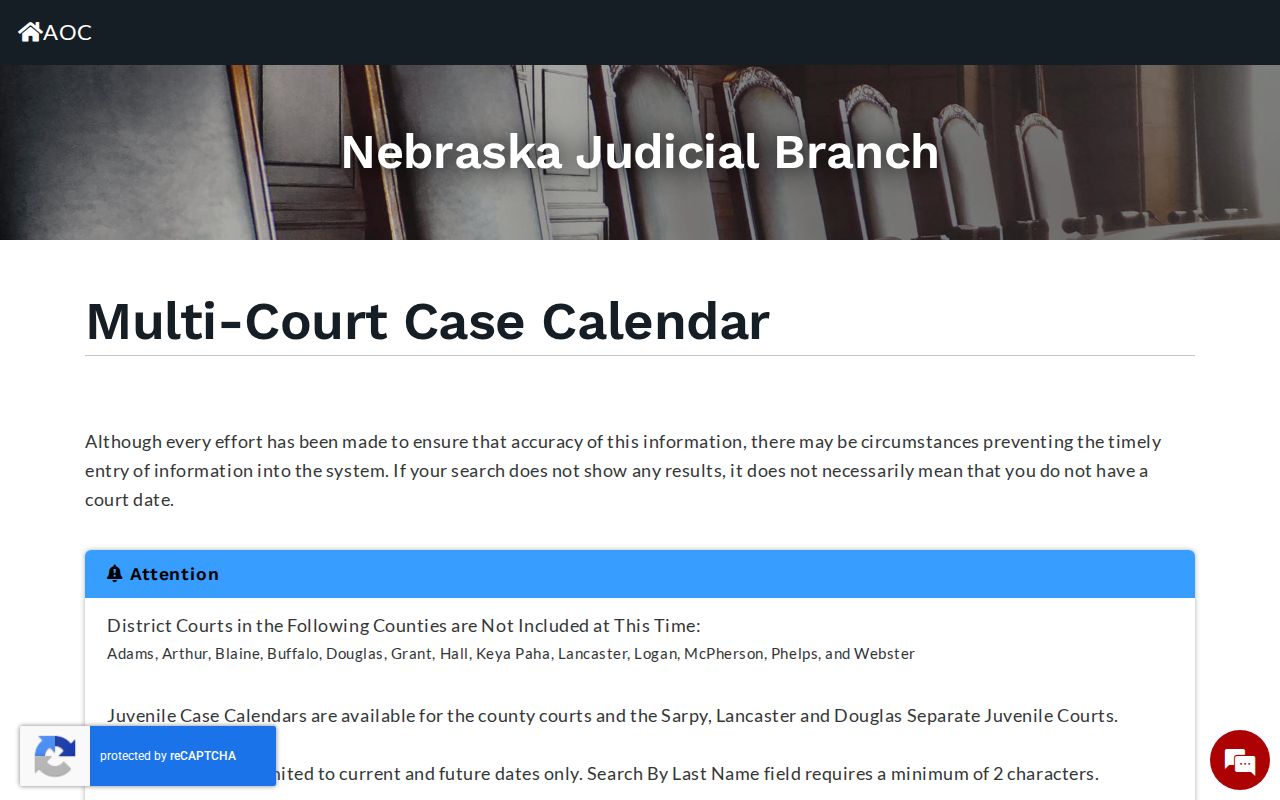
County Court is where Buffalo County appears as an available selection. Buffalo District Court, however, is missing from the calendar's district-court dropdown.
Buffalo County Court Calendar Search
For a County Court setting, pick County Court, select Buffalo, and choose Search By Date or Search By Last Name. Enter the value and select Search. A last-name search needs at least two characters. Dates run current and future only, so an older Buffalo County hearing belongs in the case detail, the Register of Actions, or the clerk's records path instead.
| Calendar control | Buffalo County use | Limit to remember |
|---|---|---|
| Court Type | Select County Court for the listed Buffalo option. | District Court is a separate route. |
| County Courts | Choose Buffalo. | Required when County Court is selected. |
| Search By Date | Find a current or future Buffalo County setting. | It is not a historical search. |
| Search By Last Name | Use a party last name. | At least two characters are required. |
The Buffalo County calendar needs JavaScript turned on. The form offers no public login, payment, export, sorting, or bulk-calendar option. If you want the whole history, go to case detail rather than mistaking one calendar result for the complete Register of Actions.
Finding Your Court Date
Work through the channels in order rather than at random. Statewide portals carry Buffalo County Court records online. But only the right court and the latest order set your actual hearing date. Write down the case number and note each date you check a portal. Need a live voice instead? The County Court clerk answers at 308-236-1228, and District Court at 308-236-1246.
- Identify County Court or District Court from the case number or JUSTICE result. A C or D indicator can point to the court level.
- For Buffalo County Court, search the Multi-Court Case Calendar by date or last name and note each returned setting field.
- Open JUSTICE case detail for a known case and compare its schedule with the latest Register of Actions entry and signed notice or order.
- Call the correct Buffalo County clerk when the case is District Court, a date changed, or no online result appears.
- Use the courthouse counter or free public terminal at 1512 Central Avenue in Kearney if an online search is unavailable; ask the clerk for current kiosk access.
- For a records question, use P.O. Box 520, the county fax at 308-236-1243 after confirmation, or the appropriate clerk email after verifying the submission method.
Four routes open the same door. JUSTICE One-Time Case Search, subscriber case detail, the Buffalo County courthouse kiosk, and the law-library path all lead to Buffalo County public case information. Mailed or electronic record requests work differently. They are not a Buffalo County calendar search, and they answer to court access rules, so a clerk-confirmed setting still wins over anything a record copy shows.
Buffalo County District Court Date Gap
One gap matters more than the rest. Buffalo District Court sits outside the statewide Multi-Court Case Calendar's district-court list. That omission shapes every docket search you run. A blank result there does not mean your hearing was canceled. It also does not make another county's calendar, or even the county calendar, a fair substitute for the district record. For a district setting, use JUSTICE case detail first. Then call Buffalo District Court at 308-236-1246. The district clerk works out of the same 1512 Central Avenue courthouse route and P.O. Box 520 as the county-court office. Same building, different records. A known district case may surface through statewide JUSTICE. Yet calendar confirmation still has to come direct from the court. The Judicial Branch court-calendar notice spells out this Buffalo District Court exclusion.
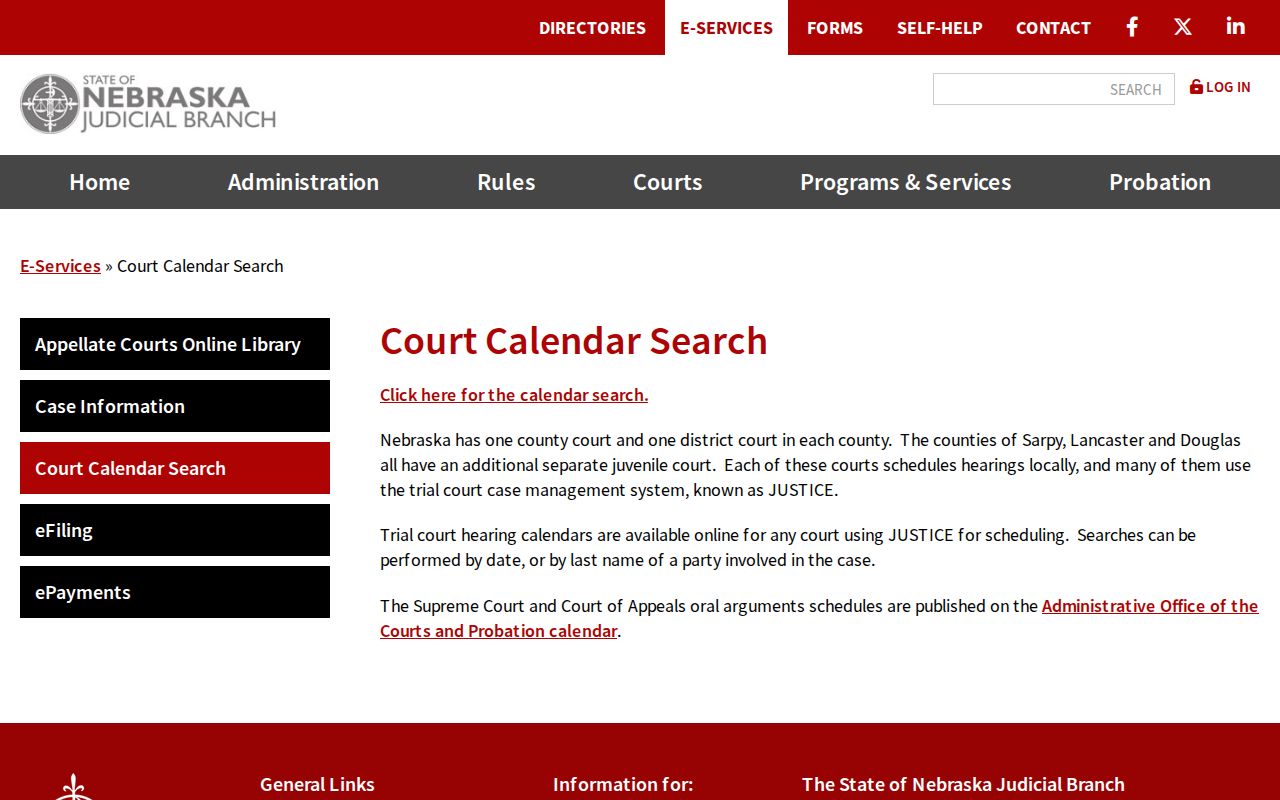
Buffalo County hearings do exist. The exclusion is a quirk of one search channel, not proof that the Buffalo County District Court keeps no public case records.
How to Read a Court Setting
A date alone tells you very little. A Buffalo County court setting is really a bundle of fields. So check the case number and the caption before trusting any time or room. The type field matters too. It might say hearing, trial, remaining-causes setting, or some other label the record uses. Each points to a different kind of event. For the fuller story, the Register of Actions gives the chronology that a single calendar row cannot.
| Court and county | Confirms whether the Buffalo County result belongs to County Court or District Court. |
|---|---|
| Case number and caption | Identifies the Buffalo County file and helps separate similar Buffalo County names. |
| Date and time | The listed setting moment, subject to the latest order or clerk confirmation. |
| Location or courtroom | The public location field when the returned record provides it. |
| Judge | The judge field as displayed in the public result or case detail. |
| Setting type | The court's label, which should not be changed into a trial or judgment by guesswork. |
Entries like “hearing,” “continued to,” “notice of setting,” and “journal entry and order” each describe a different step. Keep the portal's exact wording. The court itself is the one to clarify a date or an outcome.
Buffalo County Court Date Searches
How you run a Buffalo County date search depends on what you already know. The statewide calendar works best for a future County Court date. It also handles a quick last-name check. A known file is different. For that, JUSTICE case detail lays out the full chronology of the case. The clerk is still the direct route for Buffalo District Court, for a scheduling conflict, or for any record that is too new, too old, restricted, or just unclear online.
| Channel | Best Buffalo County use | Boundary |
|---|---|---|
| Multi-Court Case Calendar | Current or future County Court settings. | Buffalo District Court is excluded; no historical search. |
| JUSTICE Register of Actions | Known case, schedule, and chronological entries. | New entries can lag 24 hours; public access may be limited. |
| Clerk or courthouse kiosk | Direct confirmation and local public access. | Clerk cannot give legal advice or disclose restricted material. |
One more route exists. If a party name or a case number still has to be tracked down, Case Lookup opens the case first, and the date can be checked from there.
Continuances, Resets, and Cancellations
Buffalo County court dates change by entry or order, not by implication. A line that says "continued to" or "reset" signals scheduling activity. It marks movement on the Buffalo County court docket, and says nothing about how the case ends. When JUSTICE and the calendar disagree, pull the most recent signed order or Register of Actions entry. Then call the clerk. A blank result is never a cancellation notice.
District 9 practice fills in the details. A Buffalo County filer seeking an unopposed continuance arranges the replacement date and time. A contested motion needs a hearing. The order should spell out the new setting. Until an order actually grants a continuance, every Buffalo County party must still appear. And skip the statewide calendar for this Buffalo County check, because of the documented exclusion.
Note: Keep the latest notice or order handy. The calendar's own delay warning means a search result cannot settle a date conflict.
Buffalo County District 9 Hearings
District 9's local-rule amendments tuck a Buffalo County setting detail out of public view. Non-testimonial Buffalo County hearings can go virtual at the judge's discretion. Want that? Ask the bailiff or courtroom clerk at least 48 hours before the hearing. Buffalo County participants should log in five minutes early. Testimonial matters ordinarily stay in person unless extraordinary circumstances apply.
None of this lets a public user move a Buffalo County court date. The rules simply explain why one case's setting looks different from a routine in-person hearing. Ask the court about the procedure for your assigned case, especially if the Register of Actions or an order lists a remote appearance.
If You Miss a Court Setting
Missed a Buffalo County court setting? Act fast, and go to the court that set the date. Pull the case number, the newest Register of Actions entry, and any signed order. Then call County Court at 308-236-1228 or District Court at 308-236-1246. The clerk can locate the court record and walk you through the records channel, but cannot predict a judge's move or hand out legal advice.
Do not treat a blank online result as permission to skip court. The calendar warns of delays, JUSTICE entries can lag, and Buffalo District Court is not listed in the statewide calendar. Confirm the setting directly.
Traffic and moving citations raise a separate wrinkle. The Buffalo County case record and Buffalo County citation rules can carry their own consequences. For any case here, a prompt call to the right court beats assuming a reset, dismissal, or cancellation from a partial public result.
Buffalo County Court Calendar No Results
A Buffalo County search came back empty? Start with the search type. A date search cannot pull historic settings. And a last-name search needs at least two characters. Then confirm spelling, court level, and whether the matter is new enough to fall inside the 24-hour JUSTICE lag. Remember the calendar's accuracy notice: a no-result answer is not proof that no hearing exists.
For Buffalo County Court, rerun the search with the right current or future date or party last name. Then compare JUSTICE case detail. For Buffalo District Court, set the calendar aside and contact the district clerk. If a record is sealed, confidential, past retention, or not yet indexed, the clerk may explain the access limit without revealing restricted material.